
The following tutorial explains how to customize Chameleon Theme footer on a Plone 3 website. Instruction for Plone 4 - see in Footer Customization in Plone 4 tutorial.
Chameleon Plone Theme footer is subdivided into three parts.

Telephone number is displayed in the footer left part. It is taken from the description of the document with /telephone-number shortname that is in the root of the site:
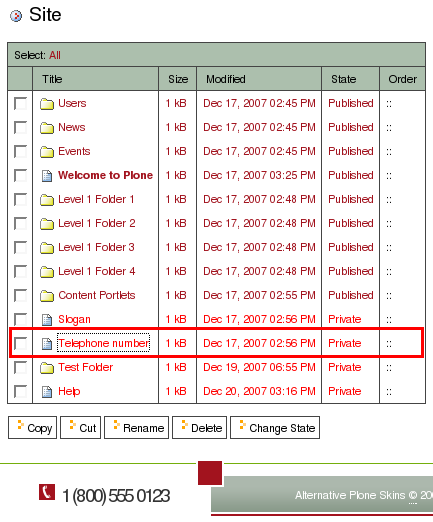
To change the telephone number - edit this document. Remember that telephone number is taken from /telephone-number description. In case this document has no description, no telephone number will be displayed.
Footer center and right parts content is taken from footer.pt template that can be reached through ZMI at portal_view_customizations -> qPloneSkinChameleon.footer (plone.app.layout.viewlets.interfaces.IPortalFooter). Just customize it according to your needs.