Quintagroup presents a series of screencasts on topics related to Plone Content Management System. Here you can find video tutorials about work with Plone and its essential parts. Our screencasts are useful guides on most of our Plone Products and Plone Themes. You will find information about their features, way of installation, configuration and usage.
Click the images below to be taken to the corresponding screencast pages.
- Screencasts about Quintagroup Plone Products
- Screencasts about Plone Themes from Quintagroup
- Screencasts on General Topics
Quintagroup Plone Products
|
Plone Tabsquintagroup.plonetabs is a user-friendly product for managing portal tabs, site & user action, folder & object buttons within Plone interface without the need to go to ZMI. Plone Tabs also allows to change items order by simply drag-and-drop. This screencast aims to teach you how to use Plone Tabs product on your Plone web-site, i.e. how to install this product on your buildout-based instance, how to create new tabs, change their order, how to delete and edit tabs, as well as Plone actions items. |
|
Plone Google Sitemapsquintagroup.plonegooglesitemaps allows to enable different kinds of Google sitemaps on your Plone website. Such sitemaps help Google to identify site URLs and the data under each site section. With Google Sitemaps enabled, search engines could track the URLs faster and more efficiently, optimizing their search by placing all the information on one page. Watch this screencast to learn about how to install and configure sitemaps on your Plone instance, how to create new google sitemaps, and how to let Google know about them. |
|
Plone SEOquintagroup.seoptimizer is a product designed by Quintagroup for enhancing search engine visibility of Plone sites. Plone SEO allows per document editing of META tags and Title tag. Watch Plone SEO screencast to learn about installation and Plone SEO product set up on your buildout-based Plone instance for Plone 3.2 or above. |
|
Plone Commentsquintagroup.plonecomments improves site managers and editors experience with standard commenting mechanism in Plone. Watch this screencast to learn how to install, set up, and use Plone Comments on your buildout-based Plone instance for Plone 3.2 or above. You will also find 2 possible use cases (anonymous and registered users commenting) of using Plone Comments Plone add-on included and learn about integration of Plone Comments with Plone Captchas. |
|
Plone Captchasquintagroup.plonecaptchas - is a simple captchas implementation for Plone, designed for validation human input in insecure forms. This is a standalone implementation with static captcha images, which does not depend on captchas.net services.Watch Plone Captchas screencast to learn about Plone Captchas installation, configuration, and use. |
|
Plone Captcha FieldqPloneCaptchaField allows to add captcha field to the form, created with PloneFormGen product.Watch Plone Captcha Field Screencast that illustrates how to install and use Plone Captcha Field on your Plone instance. |

Quintagroup Plone Themes
|
How to purchase Plone Theme from QuintagroupWatch How to purchase Plone Theme from Quintagroup Screencast that illustrates the complete process of buying Plone Themes, developed by Quintagroup from skins.quintagroup.com website. |
|
Plone Theme Installation - Estate Lite ThemeWatch How to Install Estate Lite Free Plone Theme Screencast that illustrates the process of free Estate Lite Plone Theme installation on traditional (non-buildout-based) and buildout-based Zope instance for Plone 3. |
|
Plone Theme Installation - SunRain Plone ThemeWatch How to Install SunRain Free Plone Theme Screencast that illustrates the process of free SunRain Plone Theme installation on a buildout-based Zope instance for Plone 3. |
|
Plone Themes Customization - Flow SkinThis screencast illustrates the process of customizing Flow Plone Theme from Quintagroup. It covers main topics of Quintagroup Plone Theme basic customization: replacement of Plone Skin default logo, site actions, top area text as well as replacement of home page and inner sections images for rotation. |
|
Schools Plone SkinSchools Plone Skin is one of the free skins developed by Quintagroup for Plone community. This video tutorial is about Schools Plone Theme basic features, installation instructions and main customizations. Here you will learn how to manage site's carousel banners, how to use additional portlets manager, how to change top area image and logo. |
|
Chameleon Plone SkinChameleon Plone Skin is one of the premium skins developed by Quintagroup for Plone community. This screencast illustrates Chameleon Plone Skin usage on a Plone instance. It shows Chameleon Plone Skin Features, and explains how to make this theme fit your project: how to replace theme's logo, slogan, top image; how to edit footer, content portlets etc. |
General Topics
|
Plone 3 DemoThis screencast is a demo overview of Plone CMS (Plone version 3). Information covered: Plone 3 site general overview, adding and managing content on Plone 3 site, Plone search tool, content history/versioning, portlets management & Plone workflow. |
|
TinyMCEThis screencast - is an overview of the Plone 4 default visual editor TinyMCE - a platform independent web based Javascript HTML WYSIWYG editor. The basic text editing, including image insertion, is shown here as well as the procedure of customizing TineMCE editor toolbar. |
|
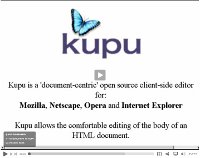
KupuKupu is an open source editor for Firefox, Netscape and Internet Explorer. It is one of the most widely used WYSIWYG editor among Plone-users. Kupu was written by Paul Everitt, Guido Wesdorp and Philipp von Weitershausen to improve the JavaScript code and architecture, standards support, support for webservers other than Zope, customization, and other issues. In this series of screencasts you will find such information about Kupu visual editor as: introduction to Kupu and its working toolbar; image, anchor, table & link insertion with Kupu. You will also learn how to add new styles to Kupu Paragraph styles and how to change Text and Background colors in Kupu. |
|
Screencasting in LinuxThis screencast includes instructions on screencasts making in Linux using RecordMyDesktop (for video capturing), Audacity (for audio recording), Avidemux (for combining video and audio streams), and Mencoder (for video encoding). |