
This tutorial covers customization of BrendA Plone Theme in different Plone versions:
- For diazo theme customization in Plone 4.1 - see Diazo BrendA Theme customization in Plone 4.1 tutorial
- For customizations in Plone 4.0 - see BrendA Plone Theme customization in Plone 4 tutorial
- For customizations in Plone 3 - see BrendA Plone Theme customization in Plone 3 tutorial
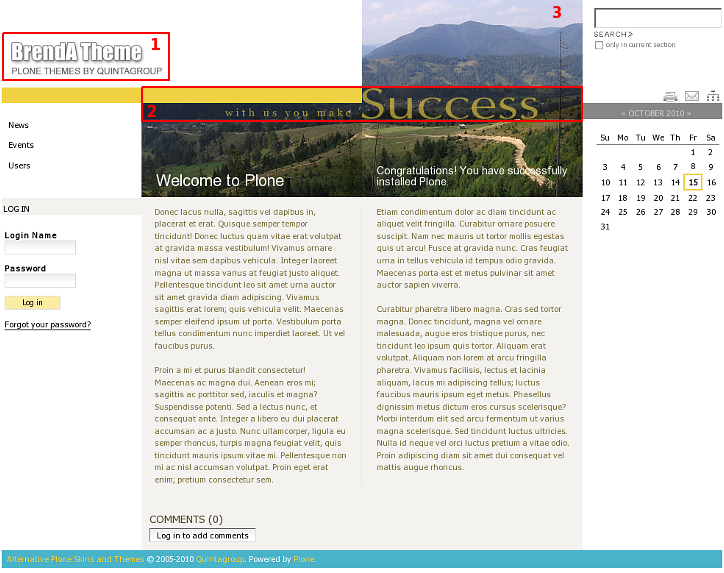
BrendA Plone Theme installed on Plone 4 will have the following look. It has replaceable logo, editable slogan, configurable theme colors, and replaceable top image.
Inner page of BrendA Plone Theme has smaller customizable top image area.
This Plone tutorial consists of several parts, in which you will find explanations about how to customize Flow Plone Theme to your needs. Use the navigation on the right to navigate through all tutorial sections for different Plone versions.