
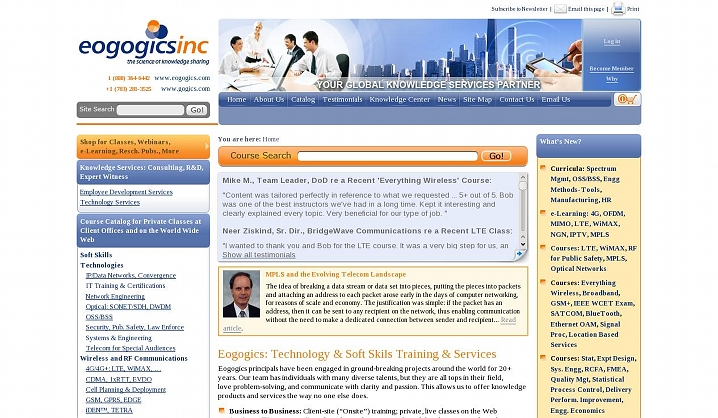
Eogogics Inc is a global knowledge services partner for training and consulting services in areas ranging from high-touch to high-tech. The company provides training, research and development, and consulting services in telecommunications and information technology; business strategy, management, and operations; and soft-skills and leadership development to government and business clients in the US and abroad. Eogogics offers an extraordinary combination of deep subject matter expertise, extensive customization, dynamic instructors, and post-class follow-up.
Eogogics.com - is a place where you can find onsite seminars, tutorials, courses and bootcamps. Every curriculum consists of number of courses. Every course in its turn has a detailed description of what it is aimed at, what the attendants will be able to learn there. Related courses and required prerequisites are also numbered.
Project Outline
Quintagroup has developed and continue to maintain a website for EogogicsInc powered by Plone (version 2.1.1).
Newsletter
Newsletter functionality was implemented to Eogogics.com with the help of PloneGazette Product. This enables a member of the site to subscribe/unsubscribe to different newsletters.
Registration on Site / User's Preferences
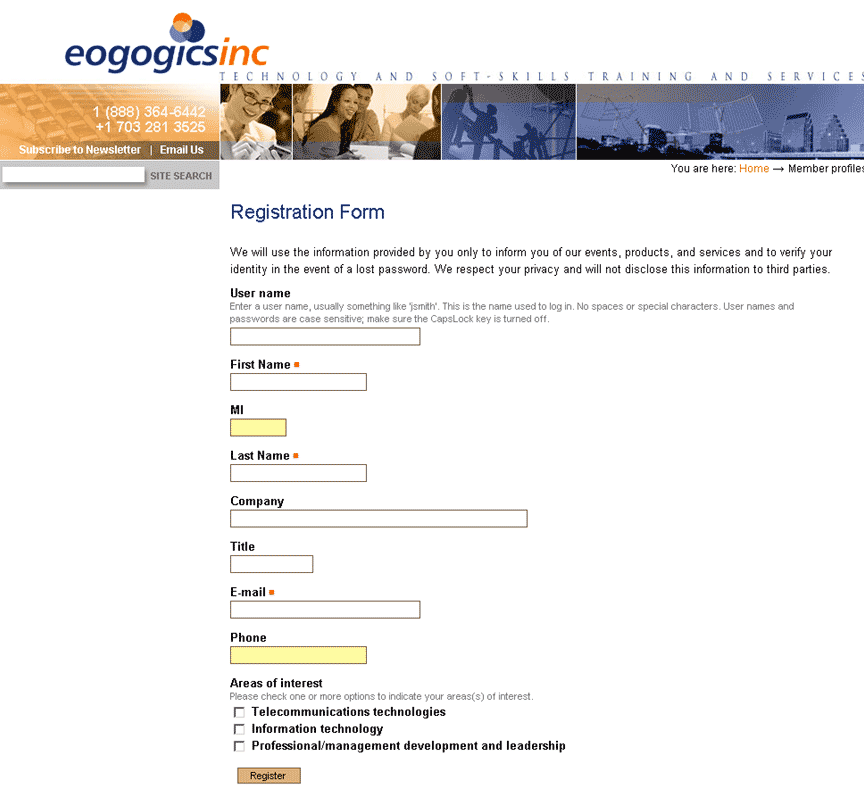
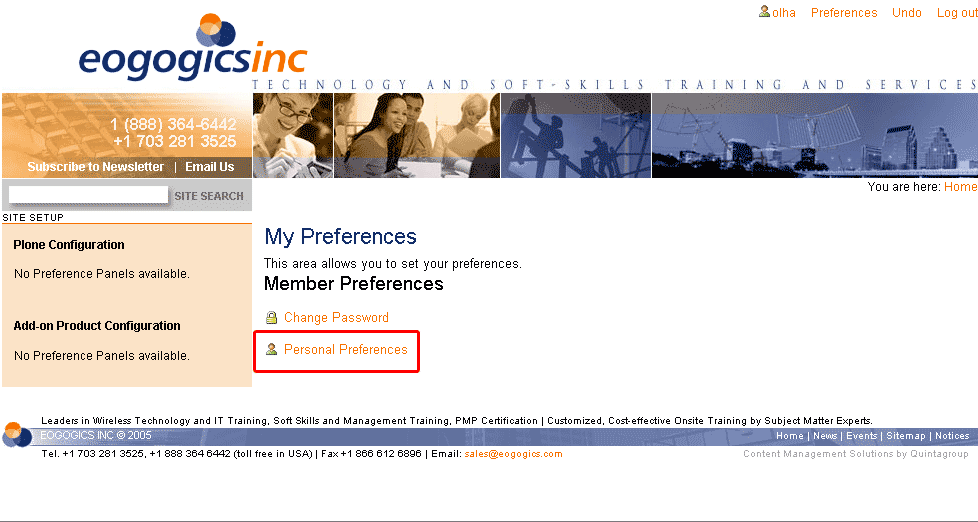
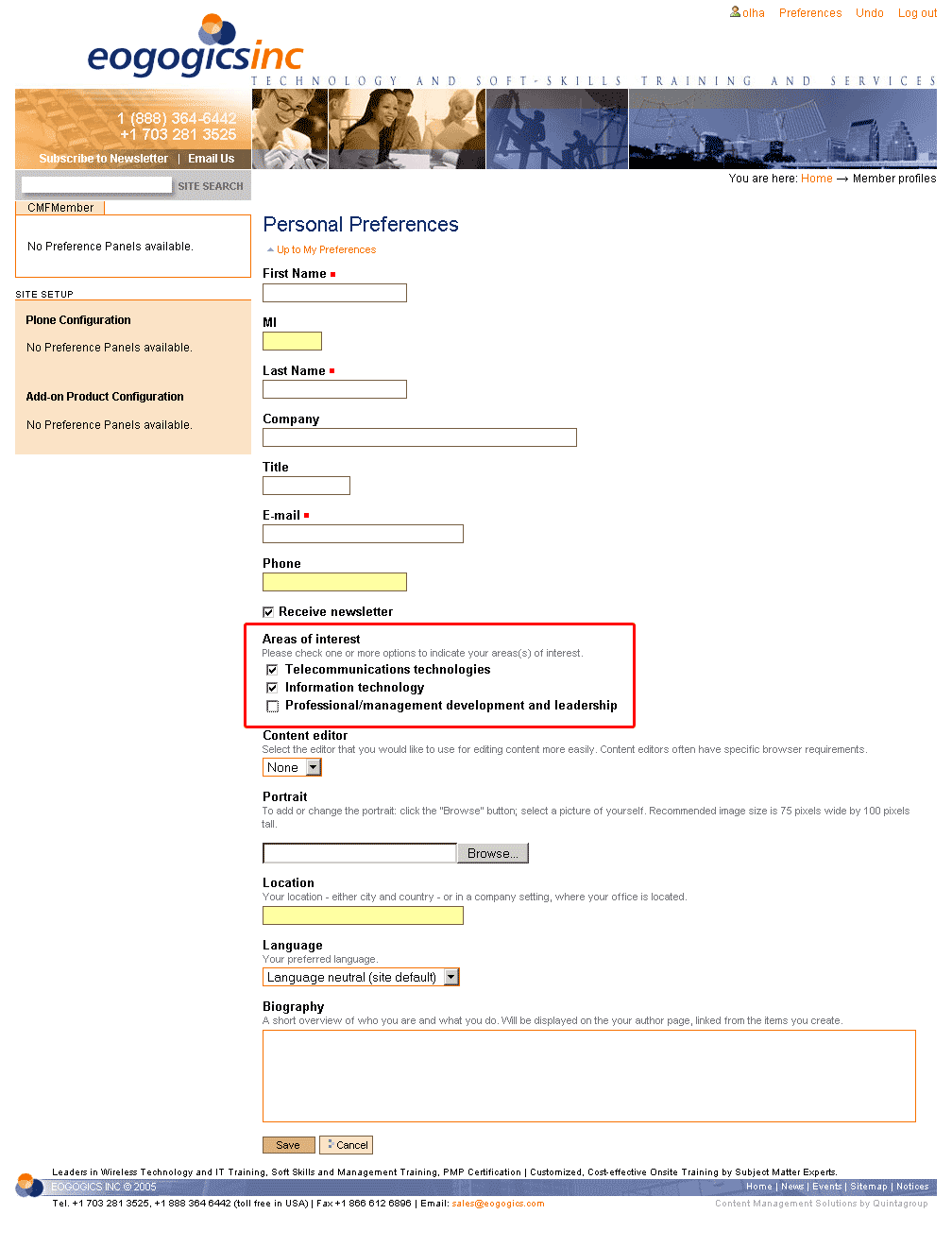
To become a member of this site a person has just to fill in the registration form (CMFMember product was used to develop custom forms in user preference) that appears after clicking on 'Subscribe to Newsletter' (at the left top corner). New members (registered users) are automatically subscribed to General newsletter. As a person becomes a new member he/she is free to change his/her preferences on this site. In the top right corner there is a 'Preference' button. Then after choosing 'Personal preferences' a member can choose what particular news he wants to subscribe to.
New Content Types & Display Views
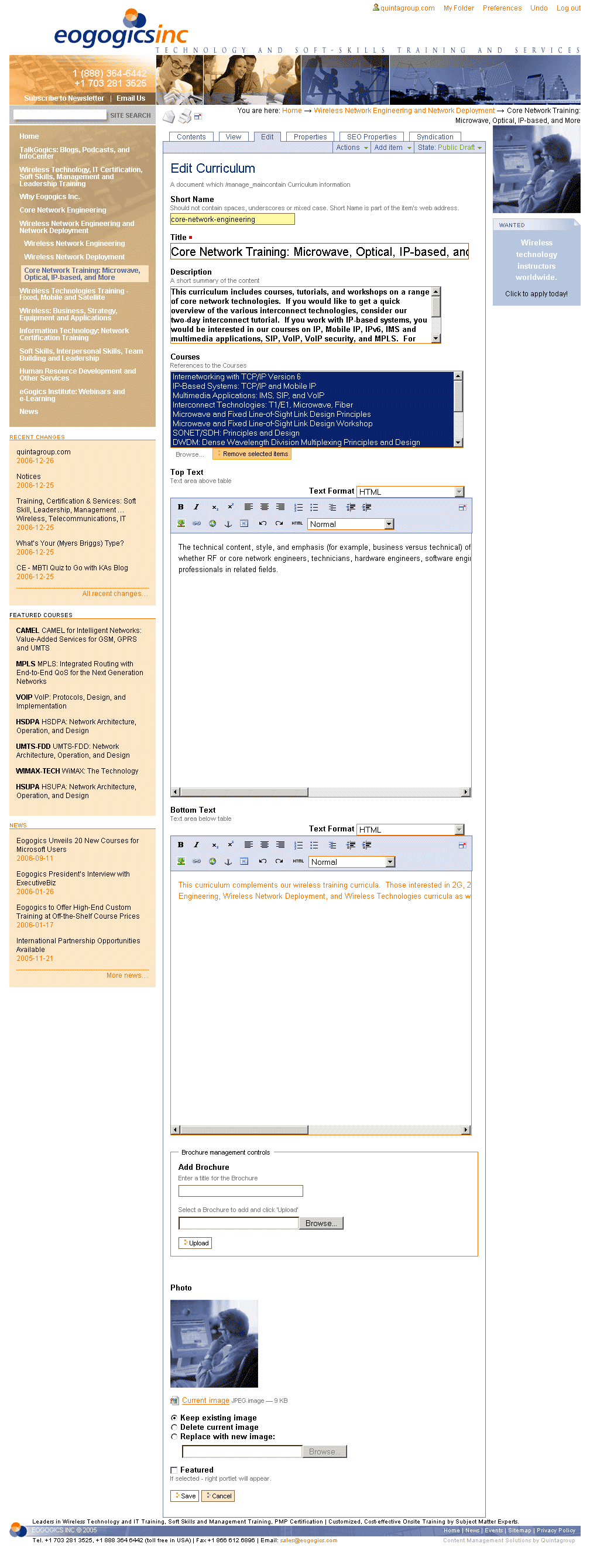
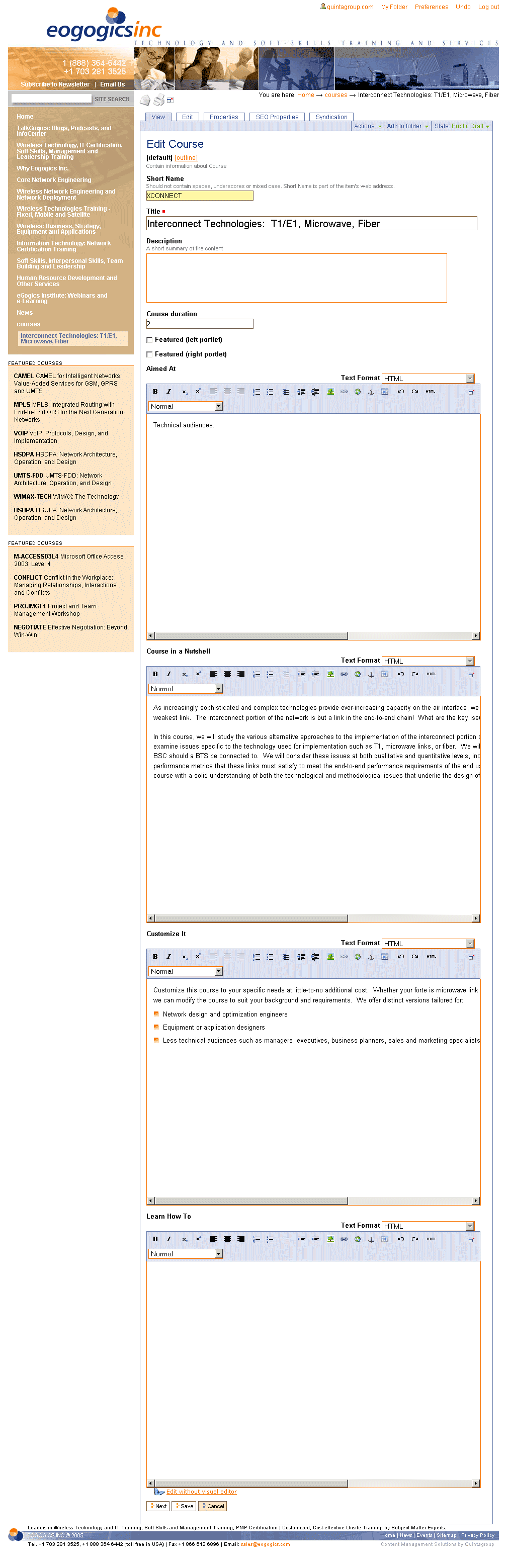
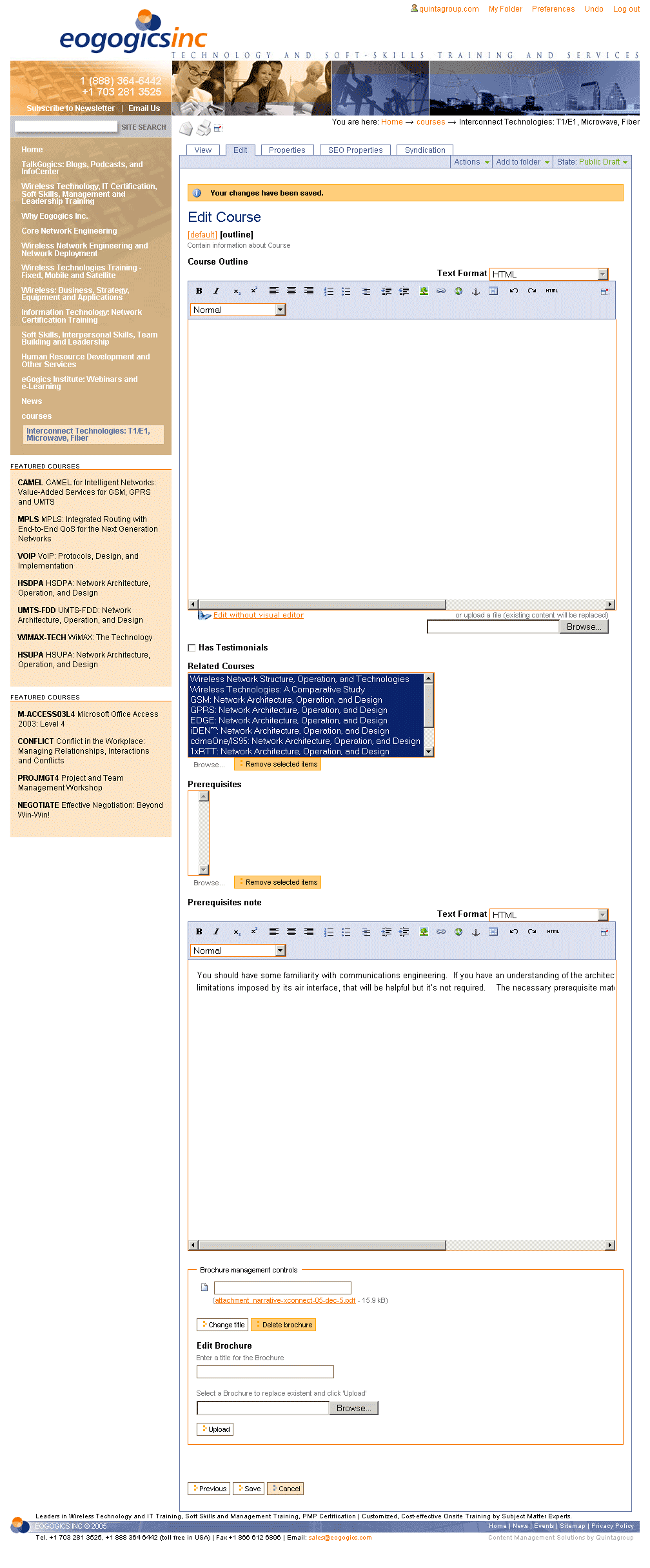
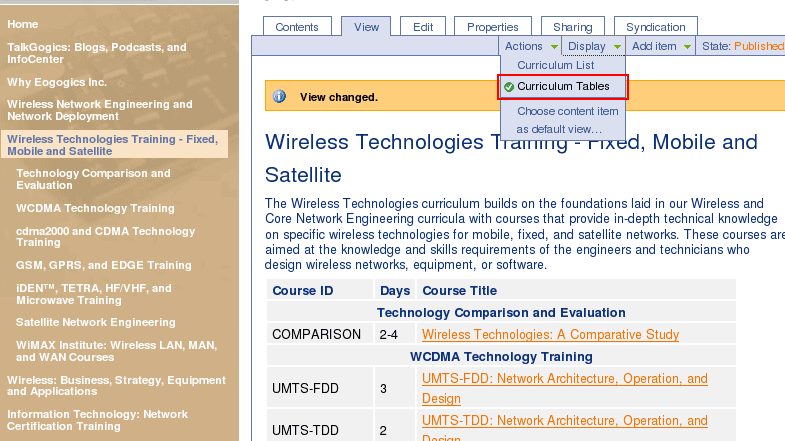
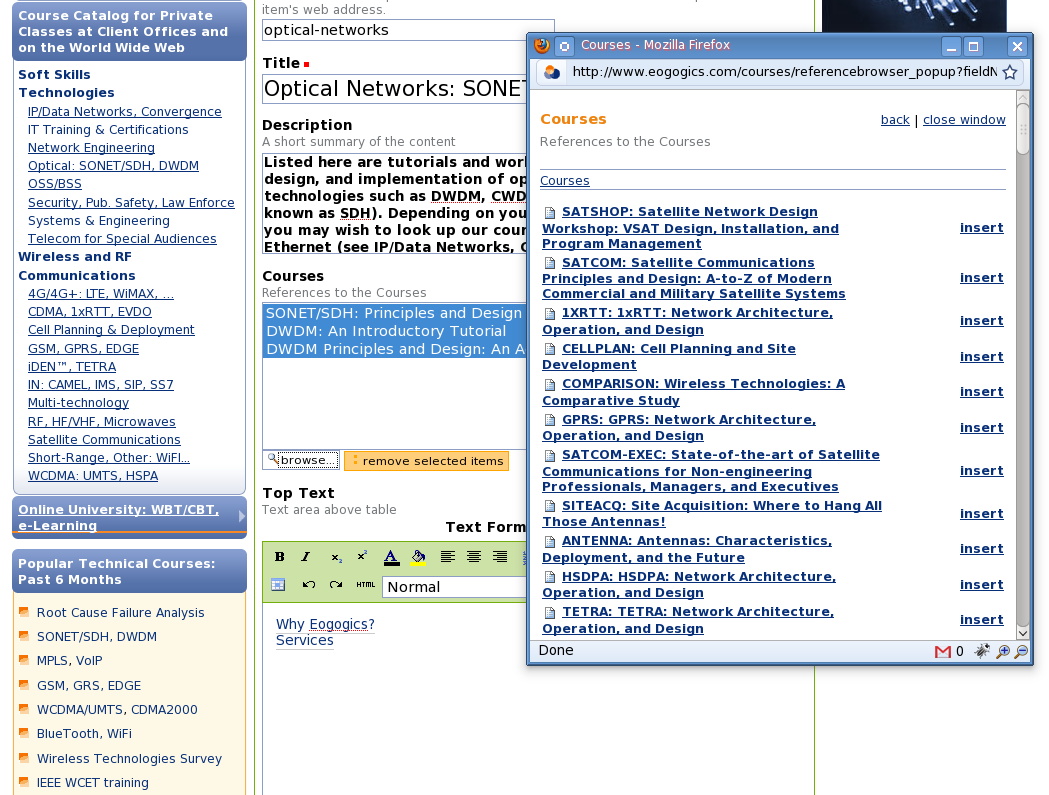
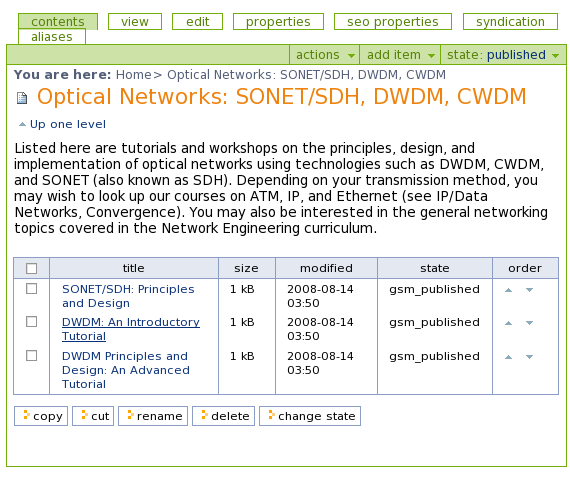
In the screenshot you can see what look an ordinary curriculum description has for every user. Suppose you are a manager of such a site, then your editing curriculum page and editing course pages (1,2) will have the following appearance.
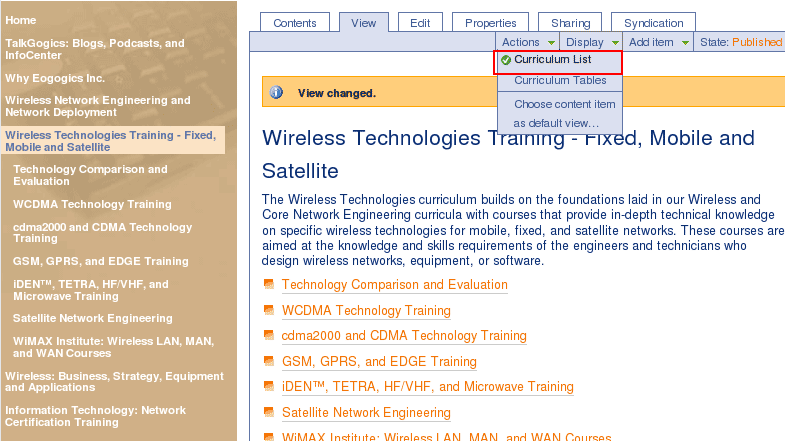
Being a manager of this site gives you a possibility to add, edit, renew all the items, and one more thing is that you can change the display view for any curriculum you want. To do that just click 'Display' button on the toolbar and choose either curriculum list or curriculum tables.
Aliased Content
According to the site structure every curriculum consists of number of courses. But each course can belong to several curricula at once. The problem with curriculums/courses was the following:
- Courses should appear in multiple site locations but not causing duplicate content issues
- Courses should be easily edited (in one place desirably), and those changes should affect all course display throughout the site
- Courses display order on curriculums should be easily configurable.
In the provided solution we decided not to take into consideration courses storing physically within curriculums it definitely would cause duplicate content. That is why we decided to store all courses in one folder 'Courses'. This gave site editor possibility to edit courses in one place and these changes would affect course's display throughout whole site. To add courses to the curriculums we used Course Reference field, so courses info is displayed on curricila pages aliased to courses pages in 'Courses' folder. After course is added to the curriculum - СourseProxy objects are created representing courses objects. Thus, it becomes easy to change courses order in the curriculum as you would do it for standard folder in folder_contents table.
"Partner' Area" and Sharing Files
Eogogics Inc. was looking for a quick and simple way to change the security settings on a piece of content through workflow on their website, namely:
- to set up a special “partners area” on their website that requires a password and put a number of folders containing files of the types such as .doc, .xls, .ppt, .pdf, .txt, .htm etc. here (with some folders viewable by all partners, and some – by only one partner, in such a way that the partners don't even “see” the folders they can’t access).
- to make the folder “General” accessible to all.
- to make the folder “Exchange” (meant to be used for temporary storage of files that need to be transferred to someone) accessible to all leaving the documents placed in it password-protected.
- to make the folder “E-Reps” accessible only by the group of their e-learning sales people avoiding the necessity to name the people who can access a folder as they change often.
- to make the folder “Faculty” accessible by instructors only.
- to make the folder “Administration” accessible only by their administrative personnel
Delivered Solution
- Three groups of users were created (Administrative Personnel, E-Reps, Faculty).
- New State was added to folder (Protected)
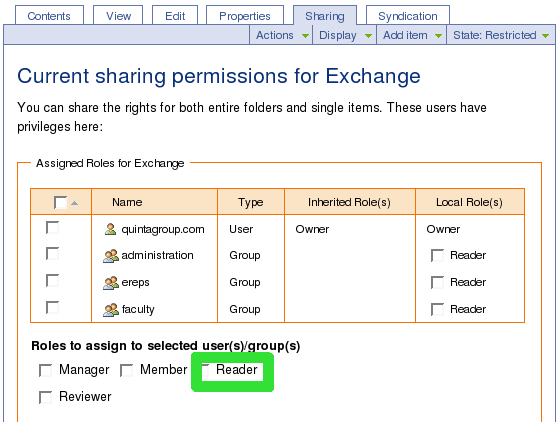
- New Role was created for users (Read)
- Exchange folder was shared to three Groups with Read access (Administration, E-Reps, Faculty) so that the users from E-Reps, Administrative Personnel, Faculty got the access to files from this folder.
- E-Reps folder was shared to the E-Reps Group with Read access so that the users from E-Reps got the access to files from this folder.
- Administration folder was shared to the Administrative Personnel with Read access.
Speed optimization
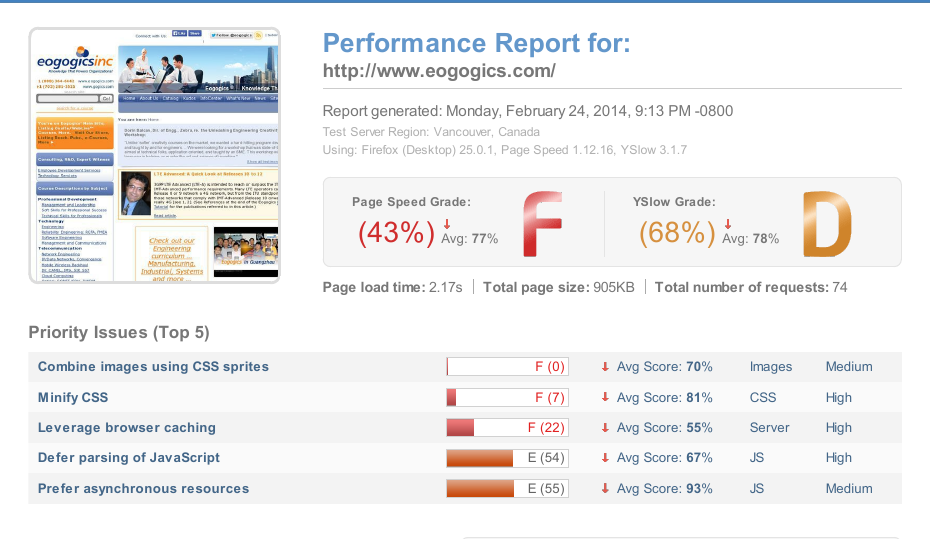
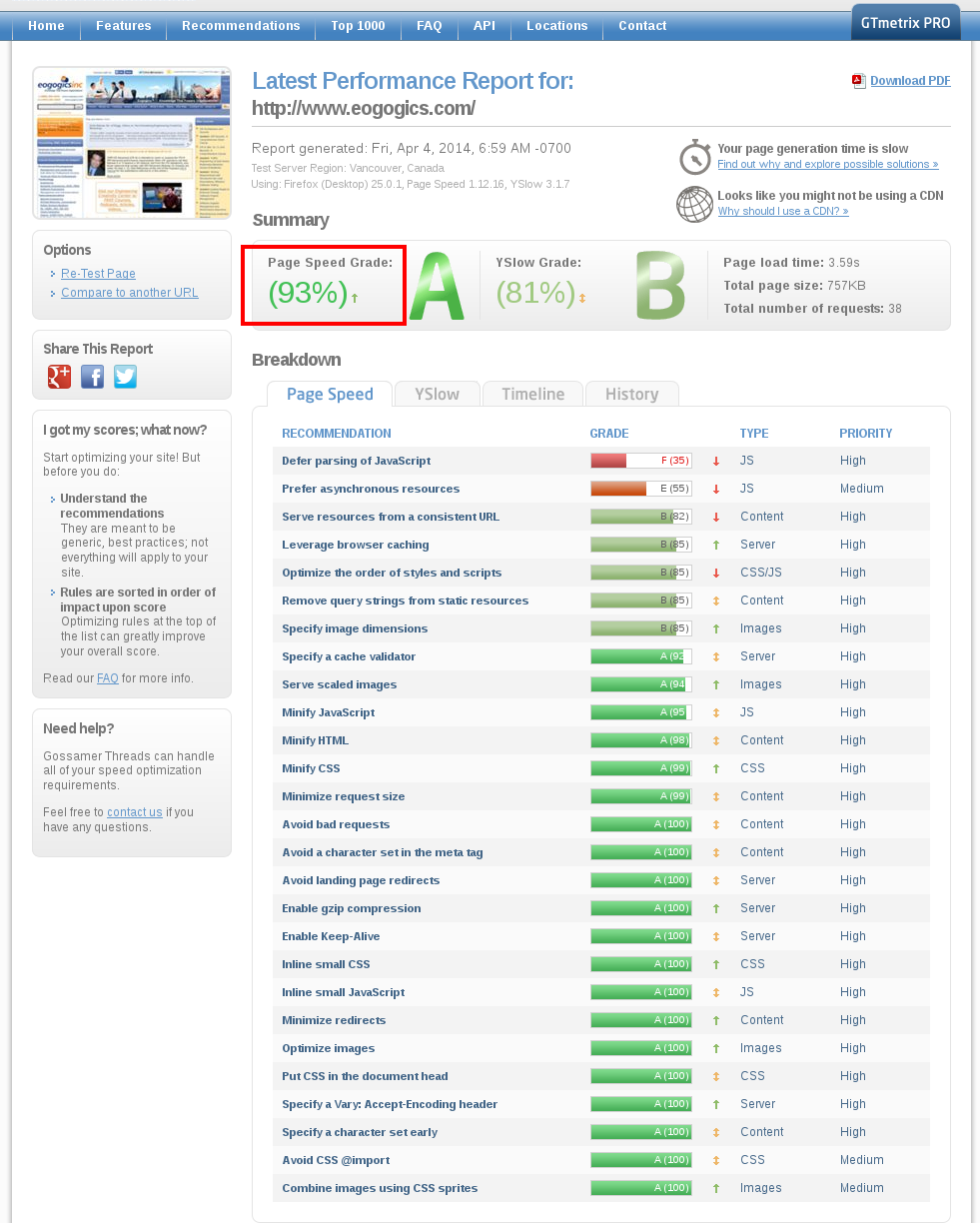
In order to increase the website speed and reduce page load time we used open-source webserver module Pagespeed. After installation and configuration Pagespeed improved initial performance parameters from 50% to 60%. This Apache module automatically applies best front-end and web performance practices. Pagespeed focuses on optimizing caching and browser rendering, minimizing round-trip times, request overhead, and payload size. Though Eogogics is built on the Plone 2.1 Quintagroup increased it's Page Speed Grade to 93% and YSlow Grade to 81% applying additional filters and customizing Pagespeed settings.
We could not have found a more technically competent or reliable partner for Plone development and maintenance than Quintagroup.
K. K. Arora
President, Eogogics Inc (Washington D.C., USA)


Should you wish to discuss how Quintagroup could assist your company or organisation with e-commerce development, feel free to contact us anytime.