
This tutorial is applicable to Plone 2.5, 3.x and 4.0 versions. The approach covered is not supported in diazo themes for Plone 4.1.
There is a set of properties in Plone that control Plone's color, font, logo and border defaults. These properties allow you to modify the basic look-and-feel of Plone site without working directly with Plone's CSS files. These properties provide an easy way to do basic customization. They are all gathered in a file named base_properties.
Before beginning any manipulation with CSS customization you should turn on debug/development mode, which is recommended during css-related development. It will guarantee that caching and compression of CSS are disabled.
Enable Development Mode
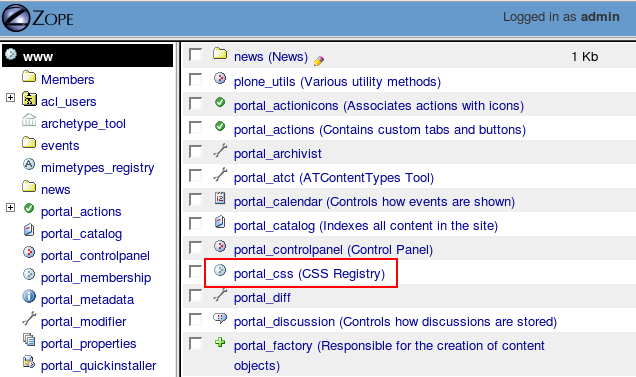
To enable Debug/development mode log in to your Plone site as the admin user and navigate to Zope Management Interface. Open portal_css (CSS Registry)
Select Debug/development mode checkbox
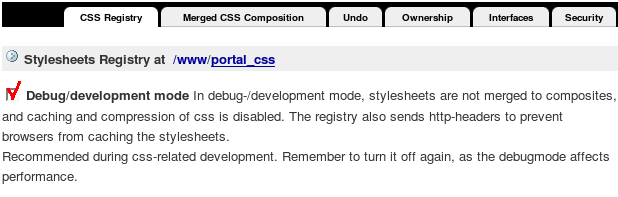
Move to the bottom of that page and press Save button.
!!!IMPORTANT!!! Don't forget to turn debug/development mode off after you are finished making your CSS modifications, as the debug mode affects performance.
Modify base_properties
Now that development mode is on you can start to modify base_properties. Plone base_properties allow you to assign simple values to Zope objects. For this go to ZMI -> portal_skins -> plone_styles -> base_properties
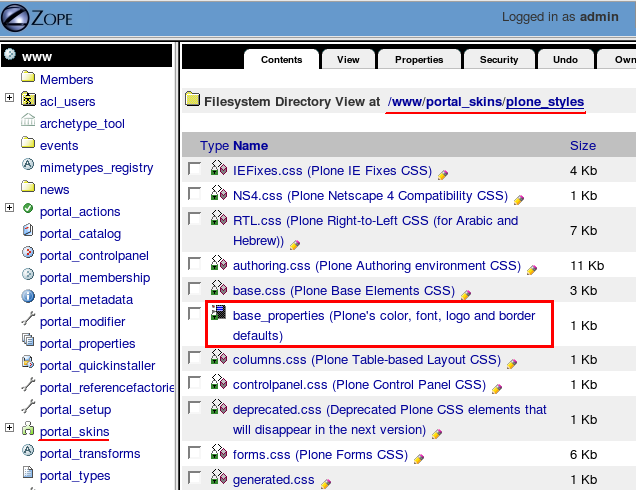
Note: Normally, if you are using custom theme on your Plone site, not default one, you will have your base properties file in the corresponding theme folder. (ZMI -> portal_skins -> your_theme -> base_properties)
Open that file and click the Customize button
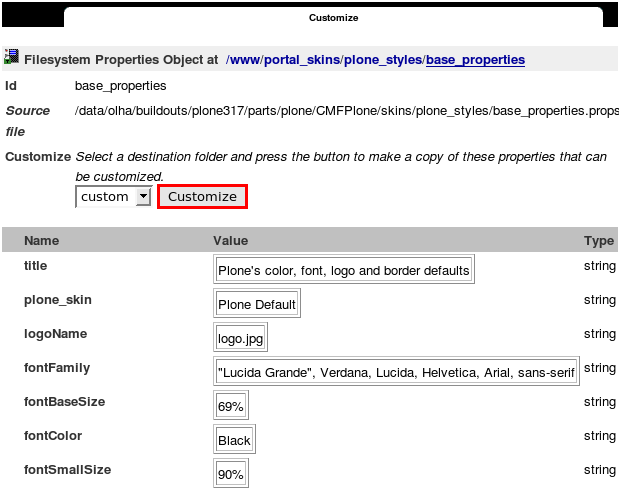
Now you can modify any property using CSS style values
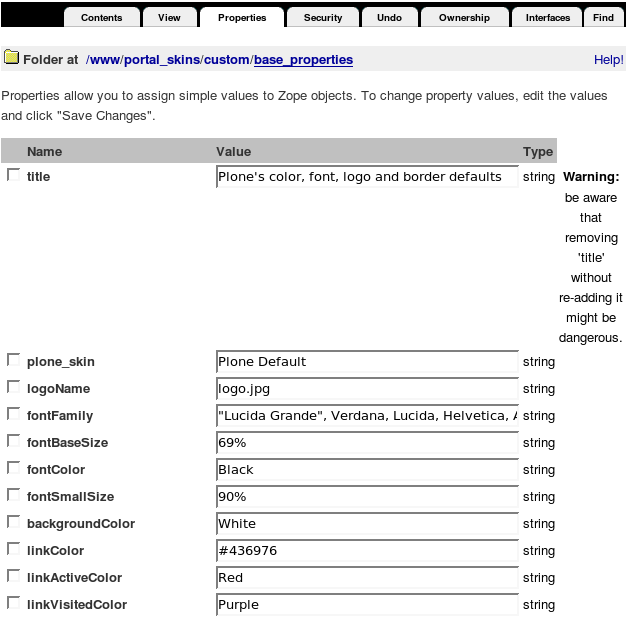
When you are finished - click the Save Changes button at the bottom of the page.
base_properties
So, what exactly base_properties are? Let's have a closer look at all those items:
- title - title for base_properties file
- plone_skin - theme used on your site
- logoName - the file name of the portal logo
- fontFamily - the font family used for all text that is not headers
- fontBaseSize - the base font size that everything is calculated from
- fontColor - the main font color
- fontSmallSize - used for various elements like buttons and discreet text
- backgroundColor - the background color
- linkColor - the color used on normal links
- linkActiveColor - color used on active links
- linkVisitedColor - color used on visited links
- borderWidth - the width of most borders in Plone
- borderStyle - the style of the border lines, normally solid
- borderStyleAnnotations - style of border lines on comments etc
- globalBorderColor - the border color used on the main tabs, the portlets etc
- globalBackgroundColor - background color for the selected tabs, portlet headings etc
- globalFontColor - the color of the font in the tabs and in portlet headings
- headingFontFamily - font family for h1/h2/h3/h4/h5/h6 headlines
- contentViewBorderColor - the content view tabs border color
- contentViewBackgroundColor - the content view tabs background color
- contentViewFontColor - the font color used in the content view tabs
- inputFontColor - the font color used for input elements
- textTransform - whether to lowercase text in portlets, tabs etc.
- evenRowBackgroundColor - the background color of even rows in listings
- oddRowBackgroundColor - the background color of even rows in listings
- notifyBorderColor - border color of notification elements like the status message, the calendar focus
- notifyBackgroundColor - background color of notification elements like the status message, the calendar focus
- discreetColor - the font color of discreet text
- portalMinWidth - specifies the minimum width to be used for an element.
- columnOneWidth - first column width
- columnTwoWidth - second column width