
To access your Zope Instance: in Windows - use WinSCP program, in Linux - use Krusader or Konsole.
1. How to Access Zope Instance in Windows
When you have the necessary SSH login/password, start working with WinSCP program:
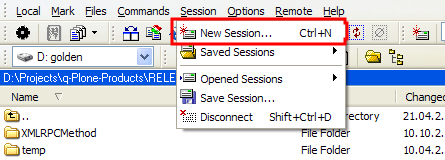
- Click Session drop-down menu of WinSCP and select the New Session item:
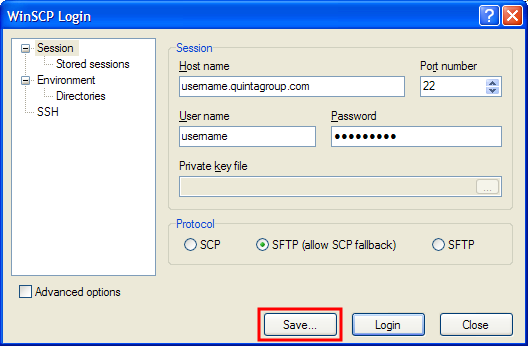
- In the WinSCP Login window, which appeared after you've selected New Session, enter your host name, user name, password, and click Save button:
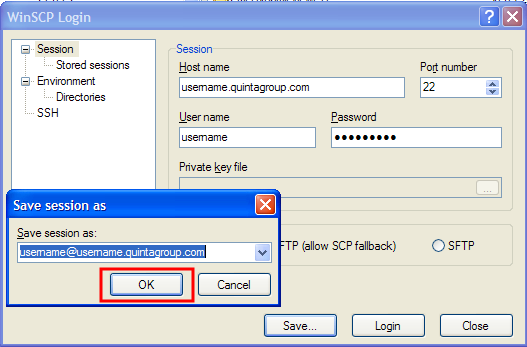
- Save your session by clicking OK:
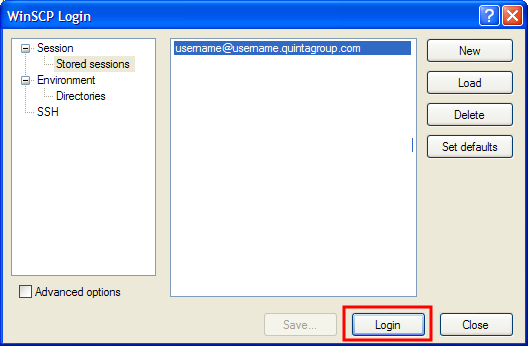
- Now you have your new session listed in the text field of stored sessions and can finally login by clicking on the Login button:
- In case the program asks you to confirm your wish to log in, press Yes button to proceed.
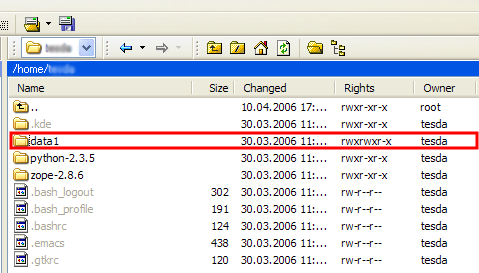
- Now you are connected to your Zope Instance - open data1 folder.
2. How to Access Zope Instance in Linux
A. Krusader
When you have the necessary SSH login/password, start working with Krusader. Click New Net Connection button of Krusader toolbar, or go to Commands drop-down menu and select New Net Connection item:
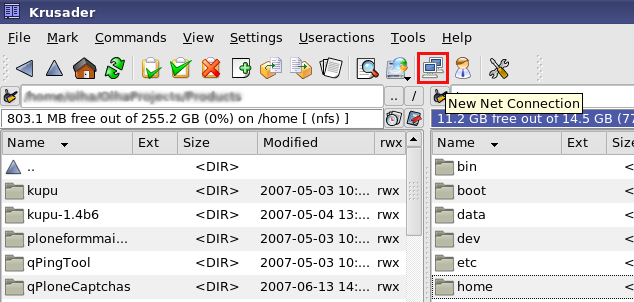
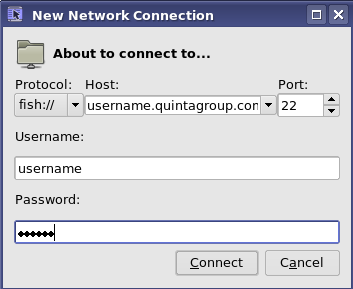
In the New Network Connection window, which appeared after you've selected New Net Connection, enter your Host name, Username, and password, then click Connect button:
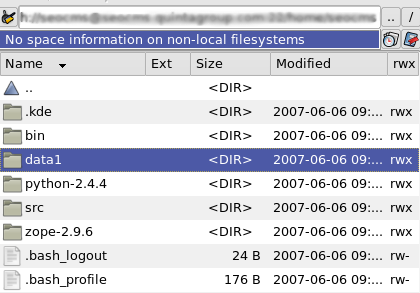
After you have been connected, Krusader right column will display you the content of your instance. Select the folder data1
B. Konsole
You can use Konsole terminal in Linux to get to your Zope instance as well. When you know your SSH login/password, open the terminal.
- Login to your Zope instance by typing
ssh username@website-name.com
- enter your SSH password, press Enter and you are in
- open data1 folder of Zope your instance
cd data1
- type
ls
to see what items data1 folder contains.