
Content area on a site with Coral Skin installed is subdivided into three columns: column one and two are usual portlet column, with a main content area between them.
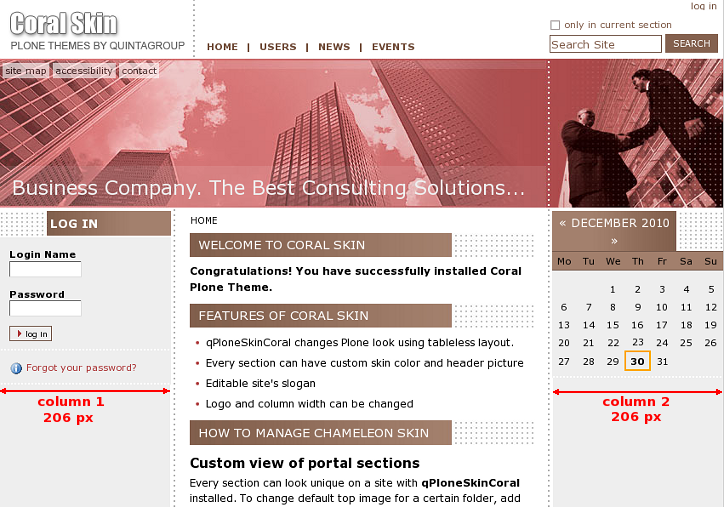
Column width can be changed: we define first and third column width, and the second column width is generated on the basis of the other two.
1. How to change column width via Zope Management Interface
Go to ZMI interface and select portal_skins ->qploneskincoral. This folder has base_properties document,
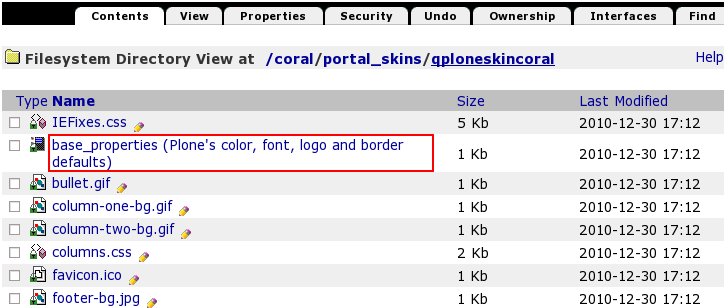
that contains information about Plone's color, logo ans border defaults. Now column one width is 206px, column two width is also 206px. In case you want to change these numbers press Customize button.
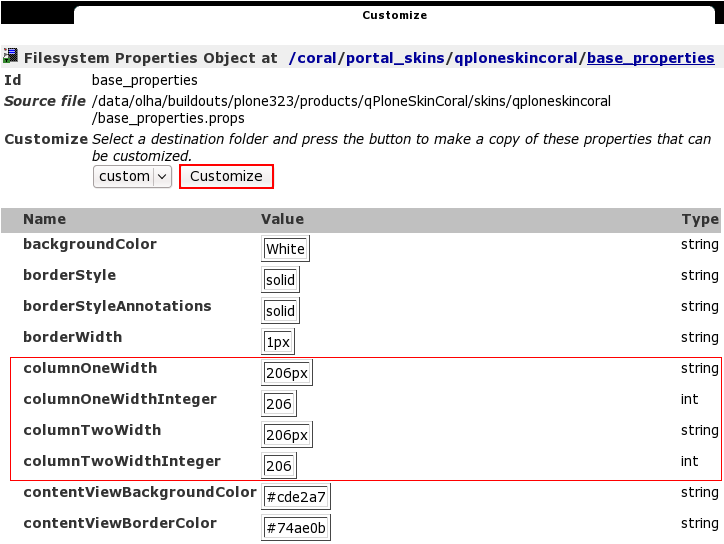
In the opened window change columnOneWidth and columnTwoWidth from values from 206px to your new column width. Do not delete px.
If you change columnOneWidth or columnTwoWidth value you should change the corresponding columnOneWidthInteger and columnTwoWidthInteger value as well, but put no px here. The numbers in ColumnWidth and ColumnWidthInteger lines should coincide so that skin view is not broken.
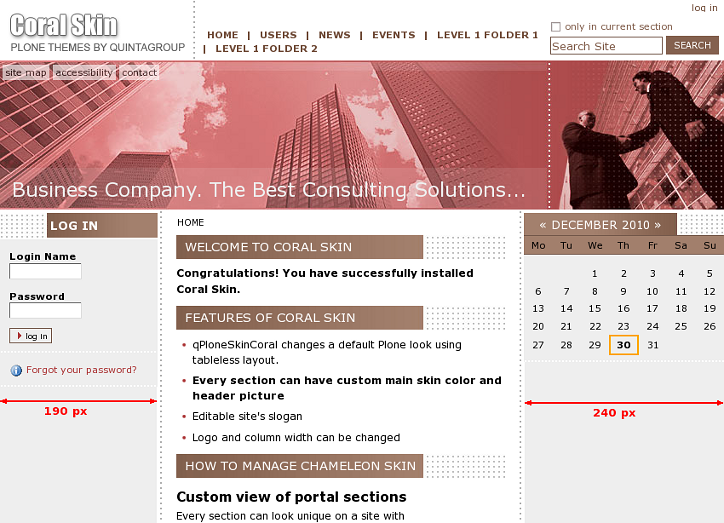
Let's put, for example, columnOneWidth value = 190px, then columnOneWidthInteger value = 190. And columnTwoWidth value = 240px, then columnTwoWidthInteger = 240.
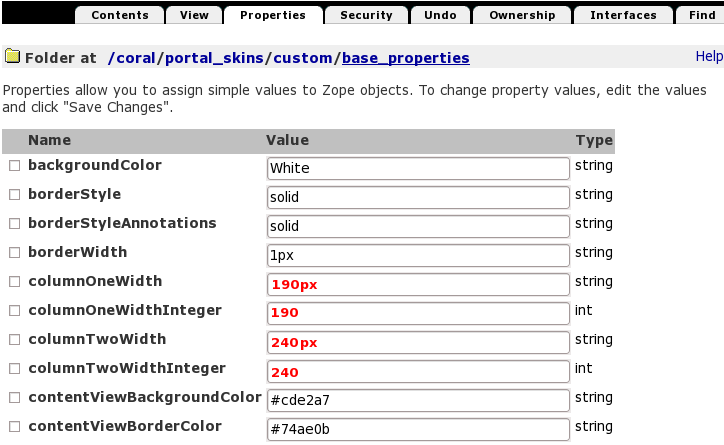
Save changes. Now return to Plone Interface and you'll see your changes applied: column one narrowed (from 206 to 190px), column two widened (from 206 to 240px).
2. How to change column width via File System
There is a base_properties document in qploneskincoralfolder:
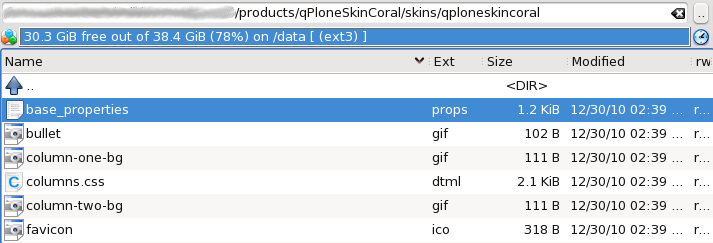
Open it and you will see the list of main skin properties: Plone's color, logo and border defaults:
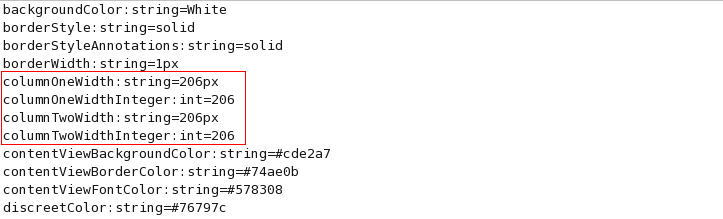
Now column one width is 206px, column two width is also 206px. In case you want to change these numbers - change columnOneWidth and columnTwoWidth values from 206px to your new column width. Do not delete px.
If you change columnOneWidth or columnTwoWidth value you should change the corresponding columnOneWidthInteger and columnTwoWidthInteger value as well, but no px here. The numbers in ColumnWidth and ColumnWidthInteger lines should coincide so that skin view is not broken.
Save changes. Now restart server so that changes are applied. When you get back to Plone interface you will see your changes applied.